LIMITED LAUNCH OFFER: GET LIFETIME ACCESS (ONLY 100 SLOTS) ⚡️ STOP EDITING MANUALLY – START SAVING TIME ⚡️ CLAIM YOUR PROMO PRICE NOW! LIMITED LAUNCH OFFER: GET LIFETIME ACCESS (ONLY 100 SLOTS) ⚡️ STOP EDITING MANUALLY – START SAVING TIME ⚡️ CLAIM YOUR PROMO PRICE NOW!
AutoCut Pro Icon

AutoCut Pro

Automatically remove silences and dead air from your videos.
Save hours — edit in seconds.

New feature: Automatic zoom!


-90% Time

Eliminate hours of manual cutting in just seconds!

Dynamic Zoom

Create automatic framing to keep viewers engaged.

100% Local

Ultra-fast Mac processing. Files never upload to the cloud.

Silence Detection

AI-powered VAD removes pauses precisely, keeping only your best takes.

Final Cut Pro & Davinci Resolve Integration

Exports directly to FCPXML — open in your favorite editor with one click.

Smart Zoom New!

Automatically apply dynamic zoom to key moments for a polished look.
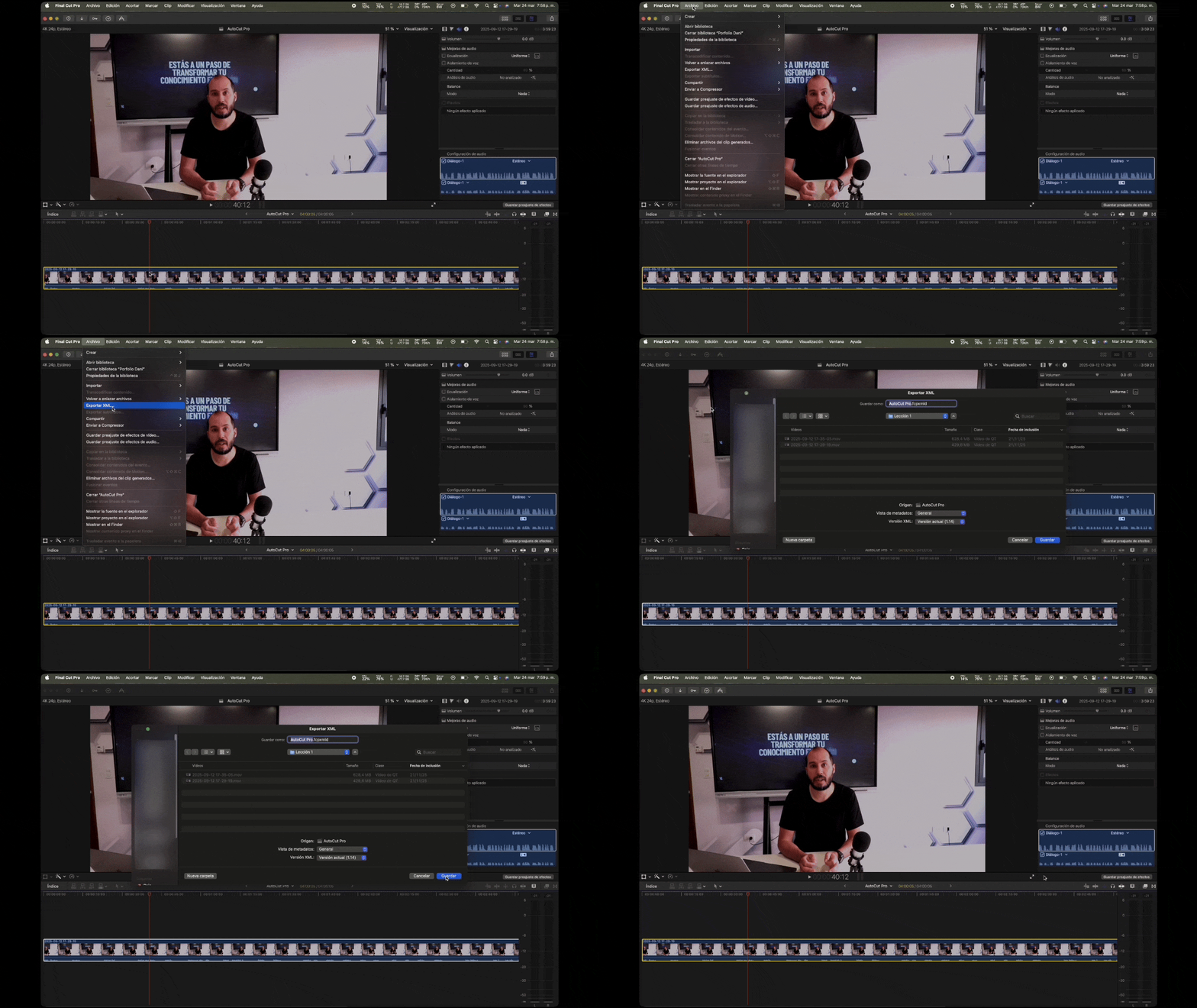
Export timeline
1

Export

Export your timeline as FCPXML from your video editor.
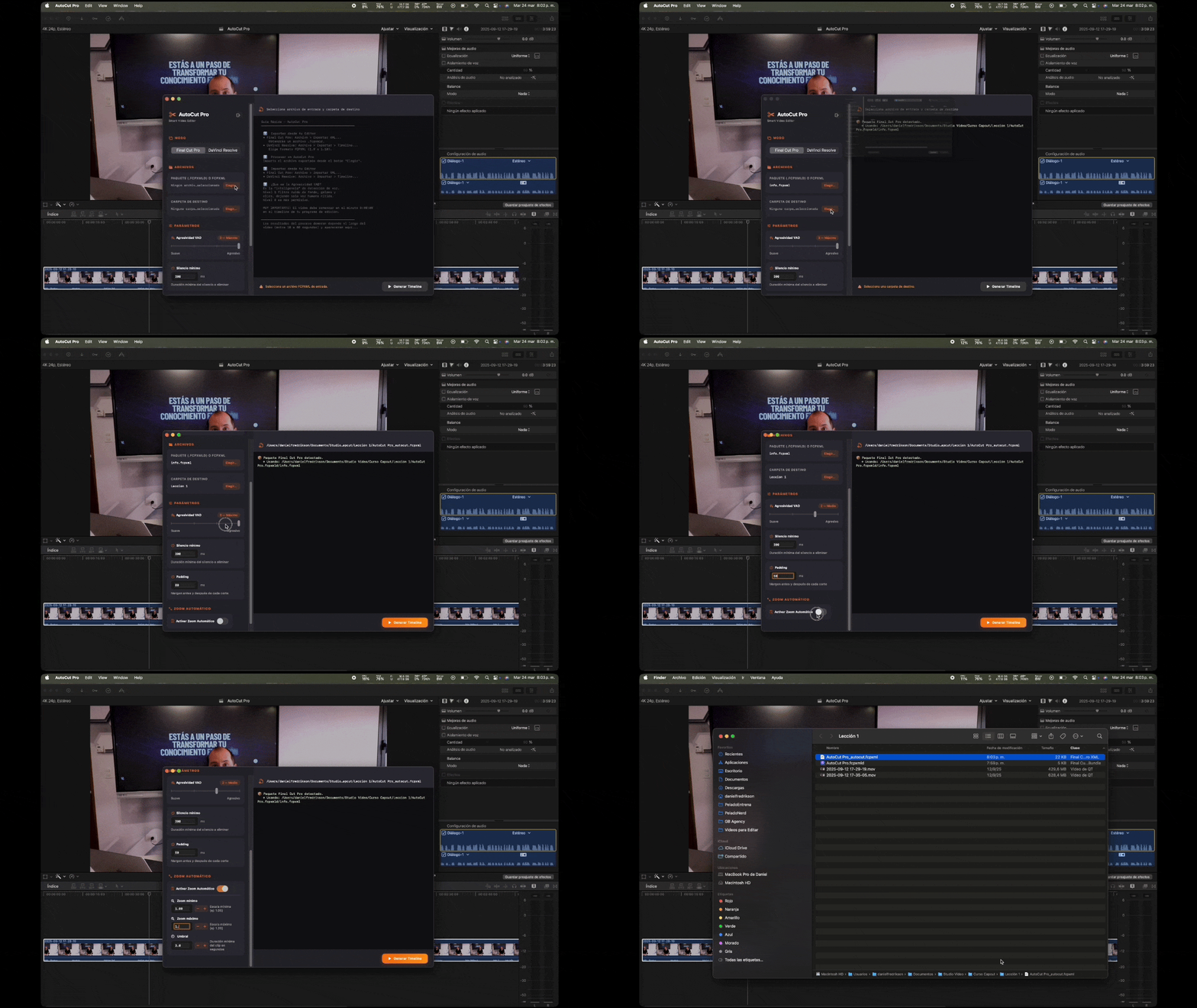
AutoCut Pro process
2

AutoCut

Process the file with AutoCut Pro. We detect and remove silences instantly.
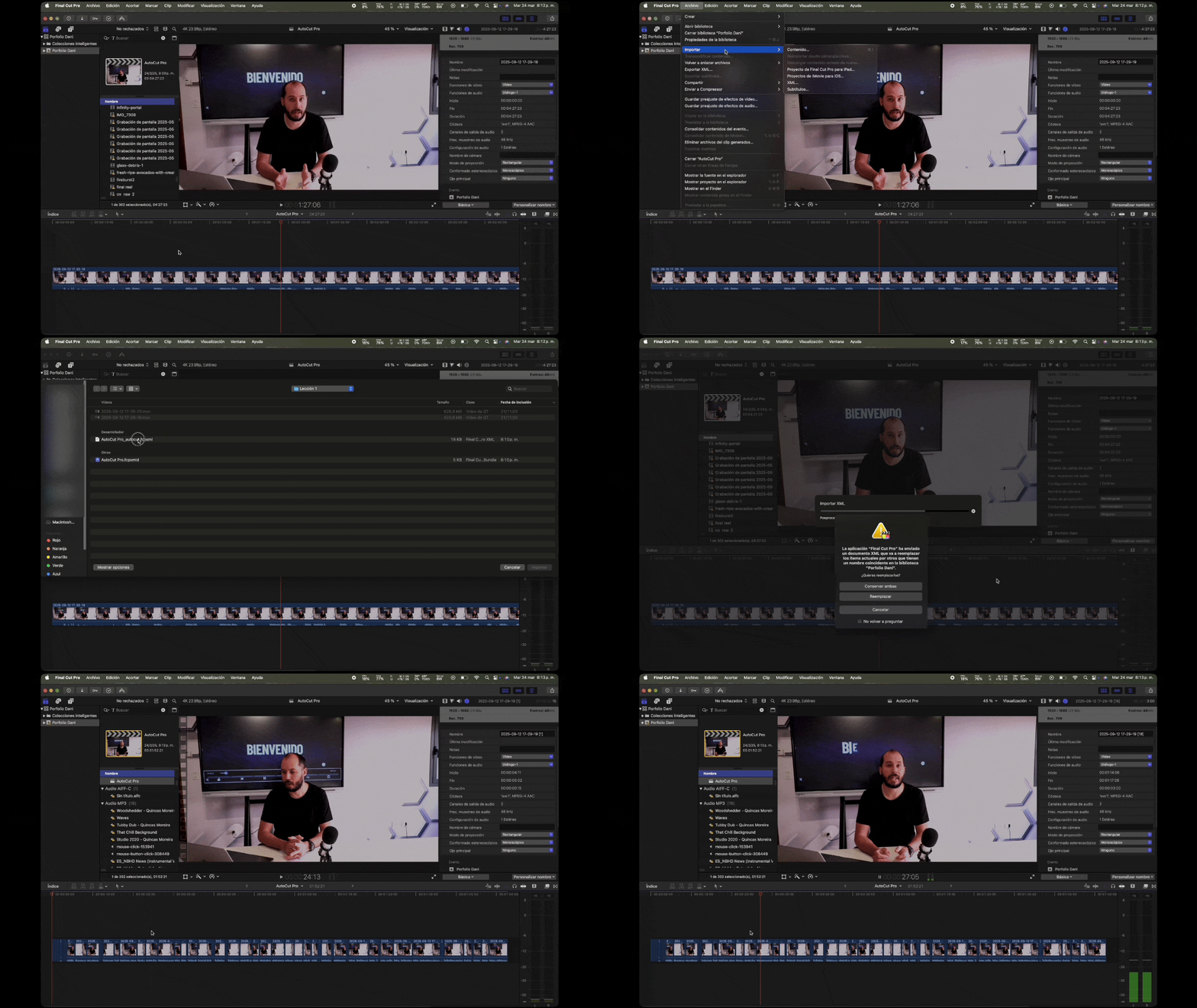
Import timeline
3

Import

Import the new FCPXML back into your editor. Faster workflow, zero dead air.

Buy now

No credit card required for trial · macOS 13+ required

🖥 How to Install

1

Download — Click "Try Free for 14 Days", sign in with Google, and download AutoCutPro.zip.

2

Unzip — Double-click the .zip file. AutoCut Pro.app will appear.

3

Move to Applications — Drag AutoCut Pro.app into your /Applications folder.

4

First launch — Double-click the app. macOS may show a security warning because the app is not yet distributed through the App Store.

⚠️

Allow the app to open: Go to System Settings → Privacy & Security, scroll down, and click "Open Anyway" next to AutoCut Pro. Reopen the app and click "Open" in the confirmation dialog.

5

Sign in — Use the same Google account you registered with. Your 14-day trial activates immediately.